 MOSSBACK STUDIO
Free tools
Small tools for people who run Minecraft servers or make games. They run in your browser, need no account and save nothing.
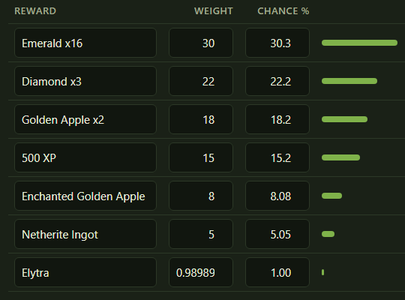
Crate chance calculator
Reward weights to percent, the keys a player needs for each reward, the average cost with your key price, and a simulator that opens the crate up to 100,000 times.
Open the calculator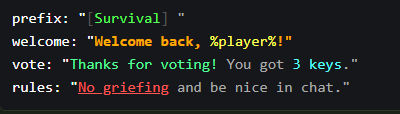
Legacy color codes to MiniMessage
Turns & and § color codes into MiniMessage tags and back, whole config files included, with a chat preview. Hex colors and gradients too.
Open the converter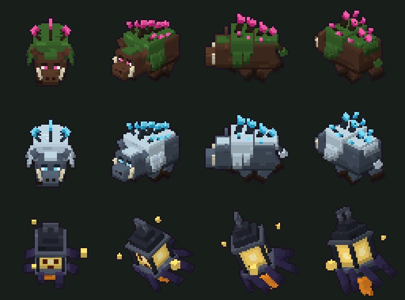
Turnsprite: Blockbench model to sprite sheet
Open a .bbmodel, pick an animation and get a sprite sheet for a 2D game: 4 directions, any cell size, pixel edges. The full version does 8 and 16 directions, all animations at once, a JSON atlas and glTF models. Step by step guide.
Open Turnsprite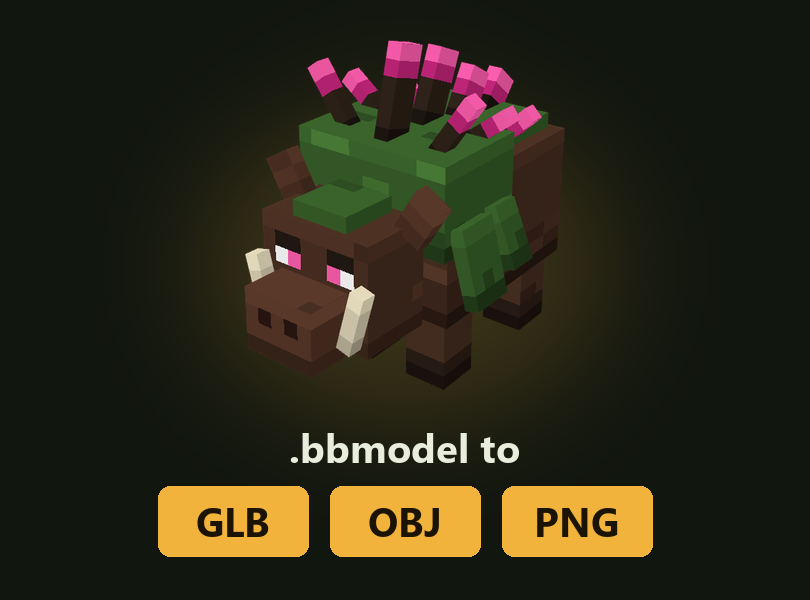
bbmodel converter: GLB, OBJ, PNG and back
Open a Blockbench .bbmodel and save it as GLB with its animations, as OBJ with textures, or as a PNG picture. Also pulls the textures out of the file. And the other way round: GLB, OBJ, FBX and MagicaVoxel files to bbmodel.
Open the converterpack.mcmeta generator and pack format list
Pick the Minecraft versions of your resource pack or data pack and get a pack.mcmeta with the right pack_format, min_format and max_format, or an empty pack template as a zip. With the pack format number of every version from 1.6 to 26.3.
Open the generatorMinecraft server icon maker
Any picture becomes a server-icon.png the server accepts: exactly 64 by 64 pixels, cropped or padded, sharp for pixel art or smooth for photos, with a preview of the server list.
Make an iconsounds.json generator
Drop your .ogg files and get the sounds.json, a zip with every file in the right resource pack folder, and the /playsound commands. Warns about stereo files, MP3s named .ogg and names the game rejects.
Open the generatorTexture atlas splitter and maker
Cut a texture atlas or sprite sheet into single PNG tiles and get them as a zip, or drop many pictures and join them into one sheet or a Minecraft animation strip. Exact pixels, nothing rescaled.
Open the splitterCustom model data generator
Drop item textures or models and get the resource pack files for custom model data: the items file for 1.21.4 and newer or the overrides for older versions, the models, the folders as a zip and the /give commands.
Open the generatorNegative space font generator
Move text and pictures left or right by any number of pixels in custom menus and HUDs: the font file for your resource pack and the exact characters for the shift you need, as \u codes, MiniMessage or a /tellraw command.
Open the generatorResource pack SHA-1 generator
Drop your server resource pack and get the SHA-1 hash and the finished lines for server.properties. The zip is checked too: pack.mcmeta at the top, size under the limit, a link that downloads directly.
Open the generatorSmall caps text generator
Text in small caps for scoreboards, tab lists, ranks and menus. Colour codes, hex colours, MiniMessage tags and placeholders stay as they are, and a whole config can be pasted.
Open the generatorRank tag generator
Pixel rank tags (OWNER, ADMIN, VIP and your own) in any colour: the pictures, the font file that turns each one into a character, a zip for your resource pack and the LuckPerms prefix command for every rank.
Open the generatorCustom painting maker
Your own pictures as new paintings in Minecraft Java 1.21 and newer, next to the old ones: pick the size in blocks and download the data pack and the resource pack, with the /give command for every painting.
Open the makerpack.png maker
Any picture as the icon of a resource pack or data pack (pack.png) or of a world (icon.png): square, PNG, the right size and name, with a preview of the list.
Open the makerSkin to totem maker
Your Minecraft skin as the totem of undying: choose the skin file or type a Java name, get the totem picture (16, 32 or 64 pixels) and a ready resource pack zip.
Open the makerResource pack merger
Several resource packs into one zip, for a server or for yourself. sounds.json, language files, fonts, atlases and custom model data are joined, and you see which files overwrite each other.
Open the mergerMOTD generator
The two lines players see in the server list, with gradients, hex colours and centred text. Copy it for server.properties, Velocity, MiniMessage or & codes.
Open the generatorLang file generator
Rename items, blocks and mobs with a resource pack, or name the things of your own mod. Paste a list of ids and get en_us.json or a ready pack zip.
Open the generatorItem name and lore generator
A /give command for an item with a coloured name and lore, for every version from 1.14 to 26.3. The same text also comes out as lines for plugin configs.
Open the generatorText display generator
Floating text without plugins: type the text with colour codes, pick background, size and facing, and copy the /summon command for 1.19.4 to 26.3.
Open the generatorLeather armor color generator
Any hex colour on leather armour: pick the colour and copy the /give command for your version, one piece or the full set.
Open the generatorTitle command generator
Big title, subtitle and action bar text with colours and fade times. Type the text, see it, and copy the /title commands for your version.
Open the generatorPlayer head command generator
Any player's head, or a custom head from a texture link or Value: copy the /give command for your version, 1.13 to 26.3.
Open the generatorTellraw generator
Coloured chat messages that run a command, open a link or show text on hover. Type it, try it, and copy the /tellraw command for your version.
Open the generatorFirework command generator
Custom firework rockets: pick the shape, colours, fade, trail and twinkle, watch the explosion, and copy the /give or /summon command for your version.
Open the generatorCustom potion command generator
Potions with the effects you pick: any level, any time, your own colour and name. The /give command for a potion, splash potion, lingering potion or tipped arrow, for your version.
Open the generatorBossbar command generator
Your own bar at the top of the screen: coloured name, bar colour, notches and how full it is. See it and copy the /bossbar commands for your version.
Open the generatorServer start.bat generator
The start file for your server: memory, jar name, Java, Aikar's flags, nogui and an automatic restart. start.bat, start.sh, or user_jvm_args.txt for Forge and NeoForge.
Open the generatorwhitelist.json and ops.json generator
Type the player names, get the whitelist.json or ops.json with the right UUIDs. Online and offline mode, op levels, adds to your old file.
Open the generatorBanner command generator
Design a banner or shield layer by layer with a live preview and copy the /give command. Every pattern, more than six layers, old and new versions.
Open the generatorMissing a tool you would use every week? Tell me, the useful ones get built.